Capture.
Geo‑Tag.
Report.
Turn field photos into clean, evidence-grade PDF reports with GPS coordinates, bearing, altitude, captions, markup and map callouts — straight from your iPhone.
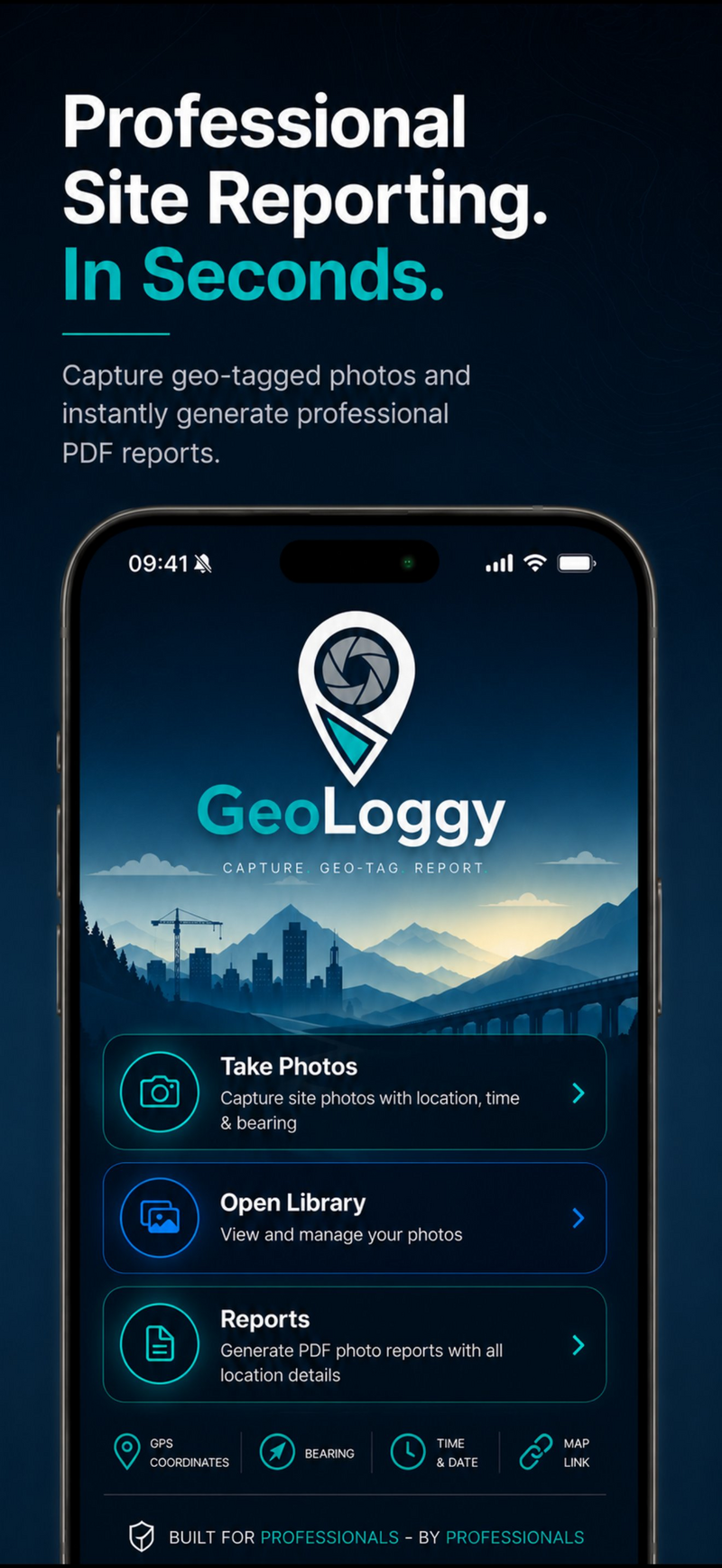
Field evidence, organised before you leave site.
GeoLoggy combines geo-tagged capture, markup, severity tagging and PDF reporting into one streamlined field workflow.
Geo‑tagged camera
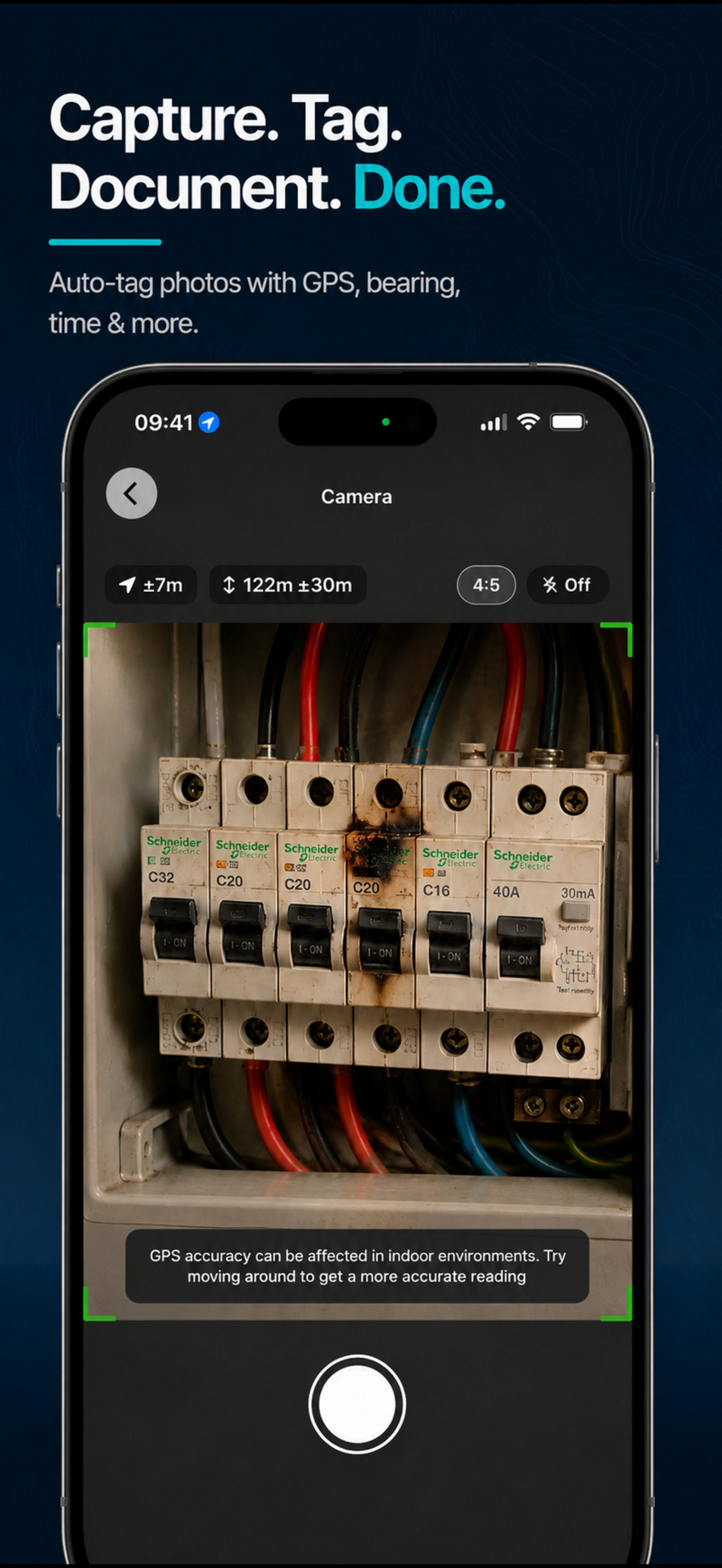
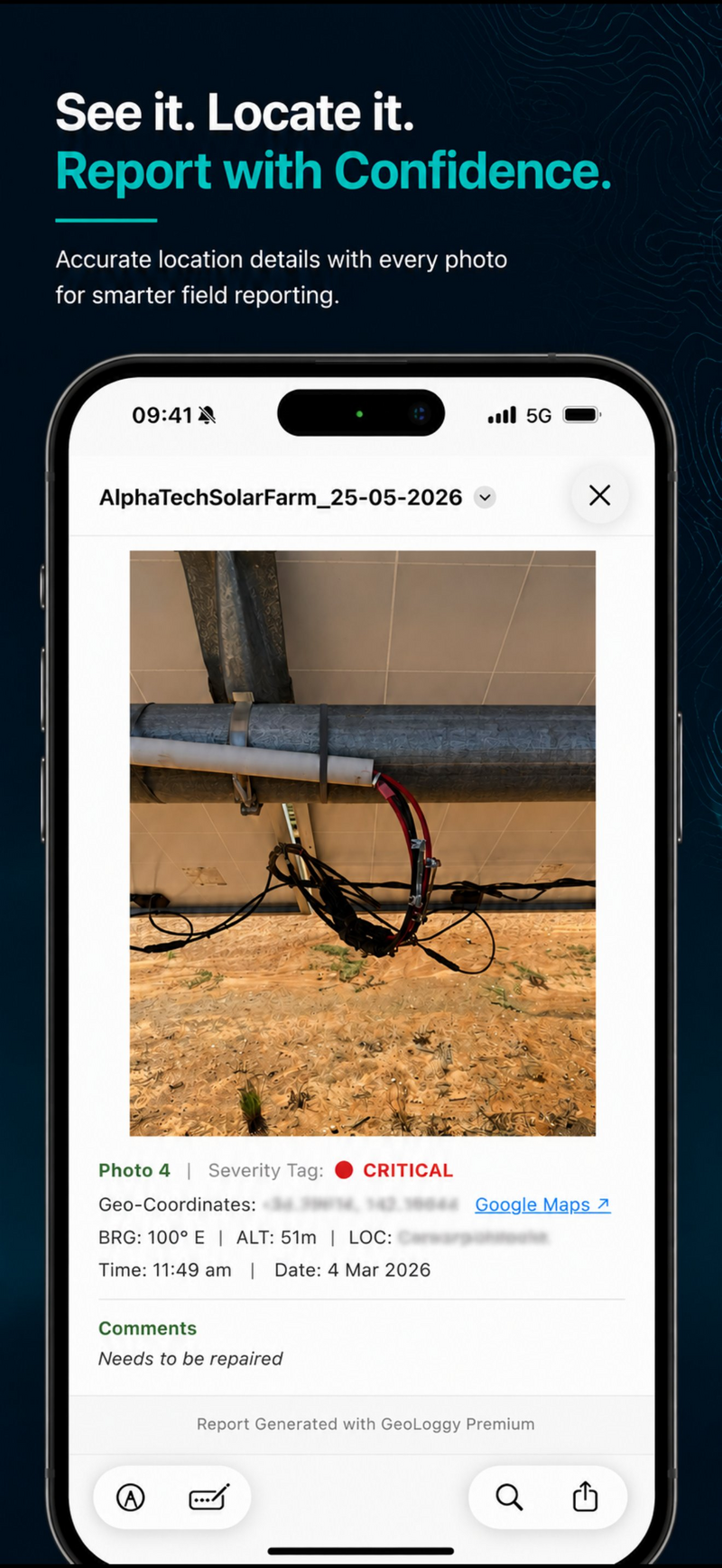
GPS coordinates, bearing, altitude, timestamp and accuracy embedded into every photo at the moment of capture.
Markup & captions
Annotate photos and add comments while the issue is fresh — no rewriting notes later at the office.
Severity tags
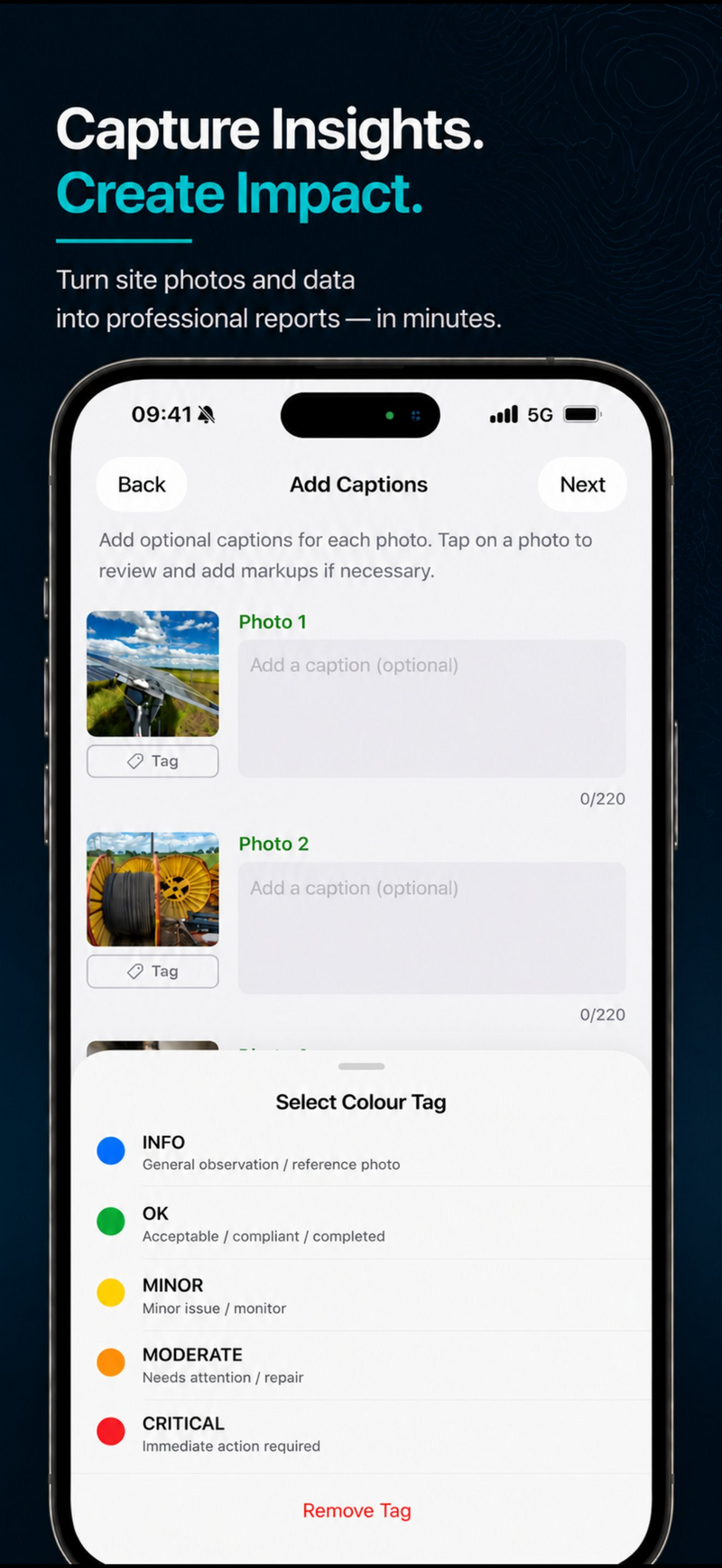
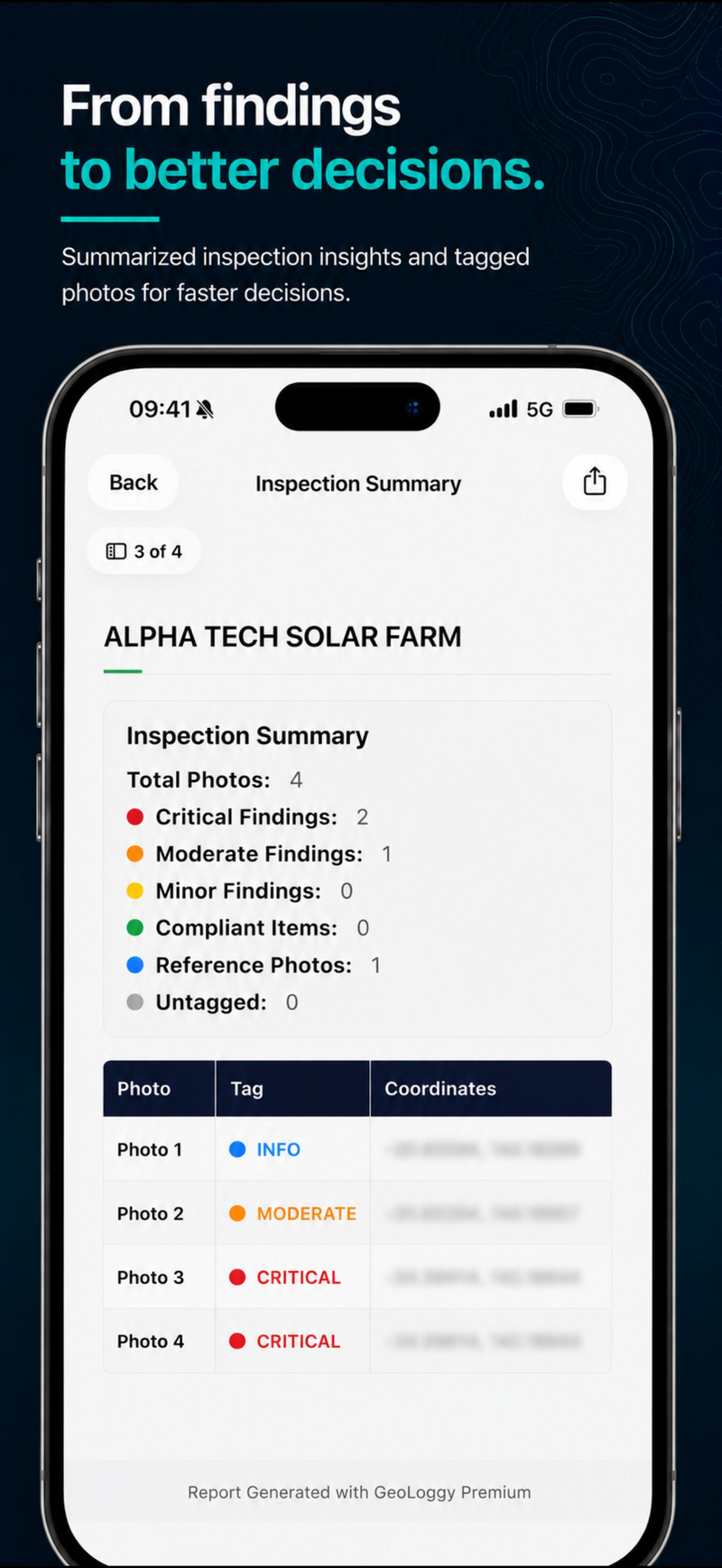
Classify findings as Info, OK, Minor, Moderate or Critical so teams can prioritise and act faster.
Instant PDF reports
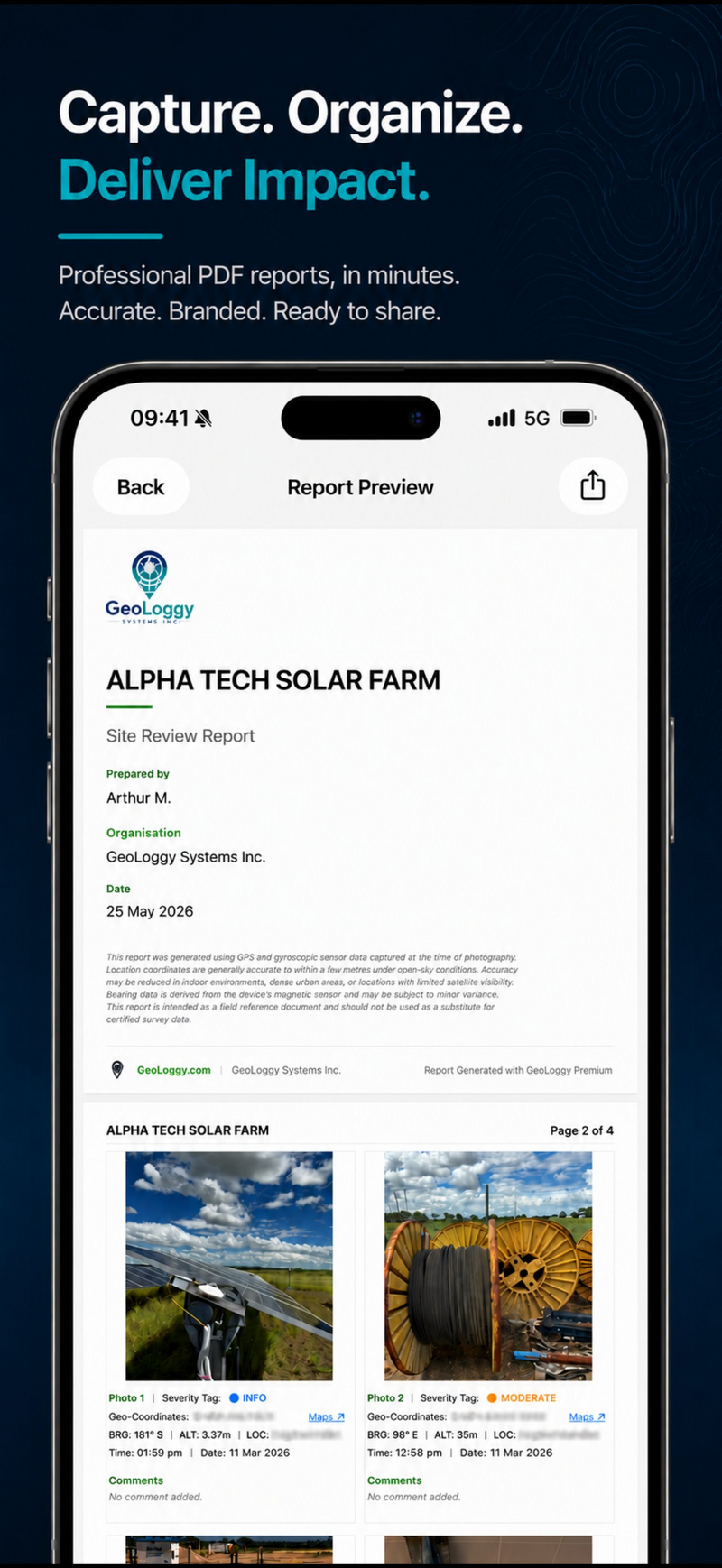
Polished, structured reports with photo grids, metadata blocks and professional formatting — generated on site.
Map callouts
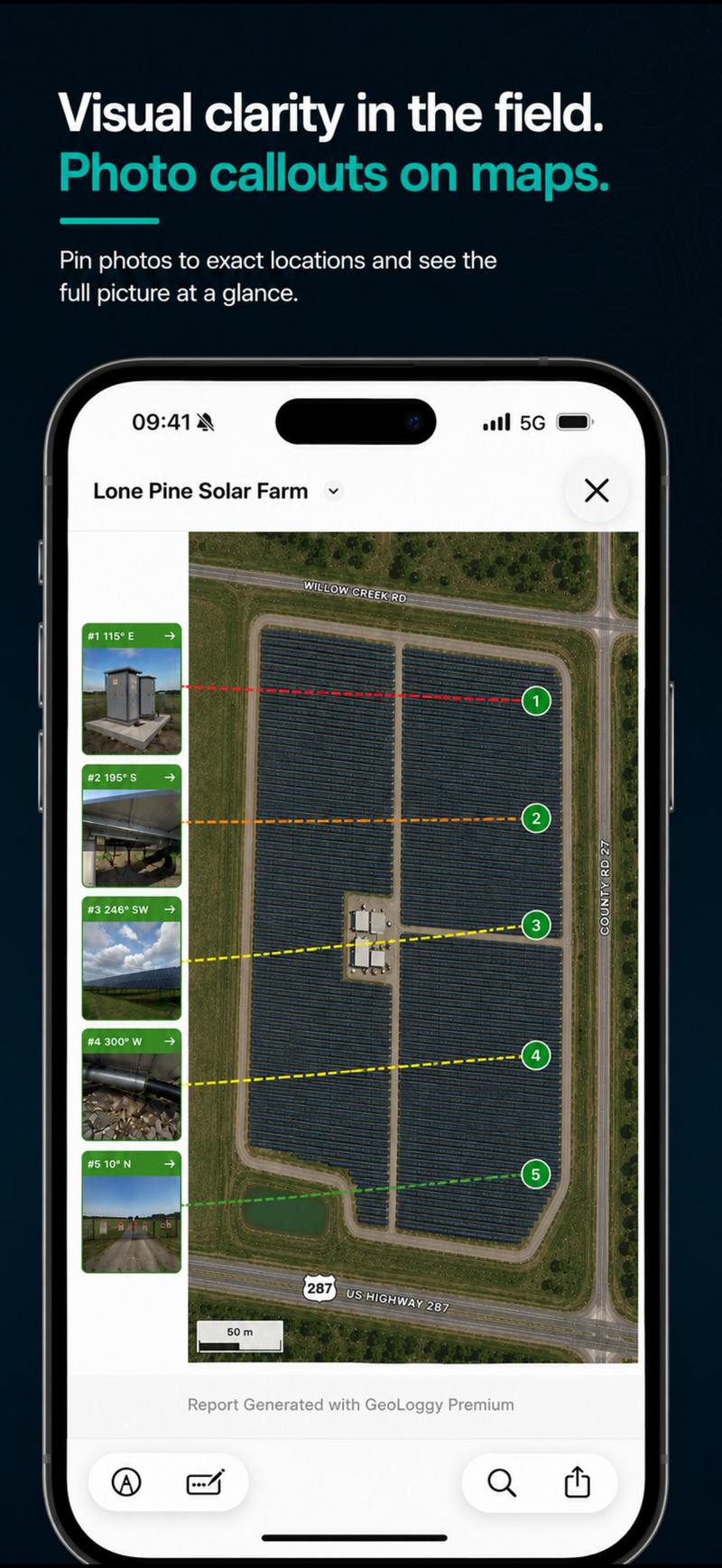
Show exactly where each photo was taken with location pins and bearing lines on a satellite map overview.
Dedicated library
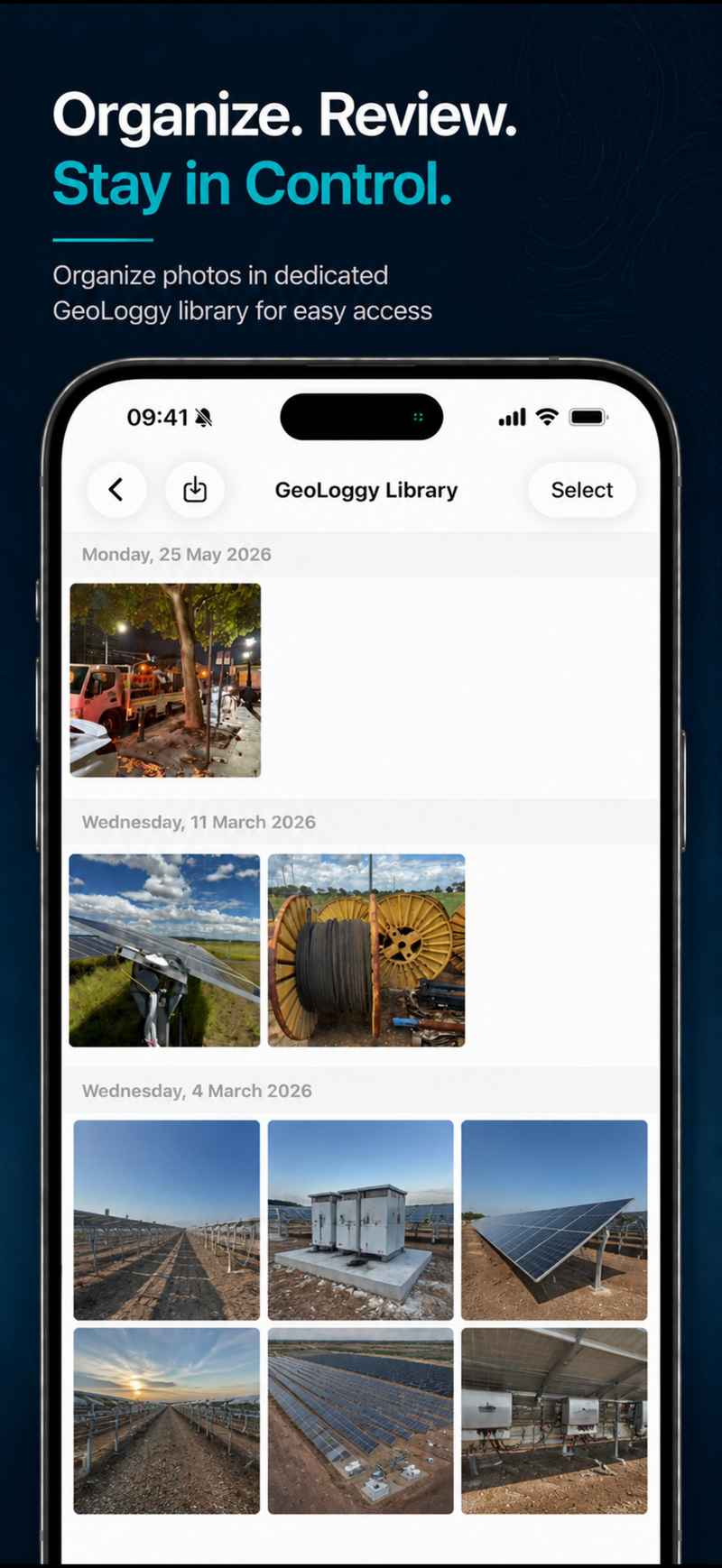
Keep field photos organised in a dedicated GeoLoggy album, grouped by date — separate from your camera roll.
What used to take hours
now takes minutes.
Capture with live GPS data
Take photos directly in GeoLoggy. Bearing, altitude, GPS coordinates and timestamp are automatically embedded into every photo — no manual entry needed.
Organise in your site library
All photos land in a dedicated GeoLoggy library, grouped by date. Browse, review and select the photos you need for your report.
Tag, caption and annotate
Add severity tags — Info, OK, Minor, Moderate or Critical — write captions and draw markup annotations on each photo while the details are still fresh.
Build and generate your report
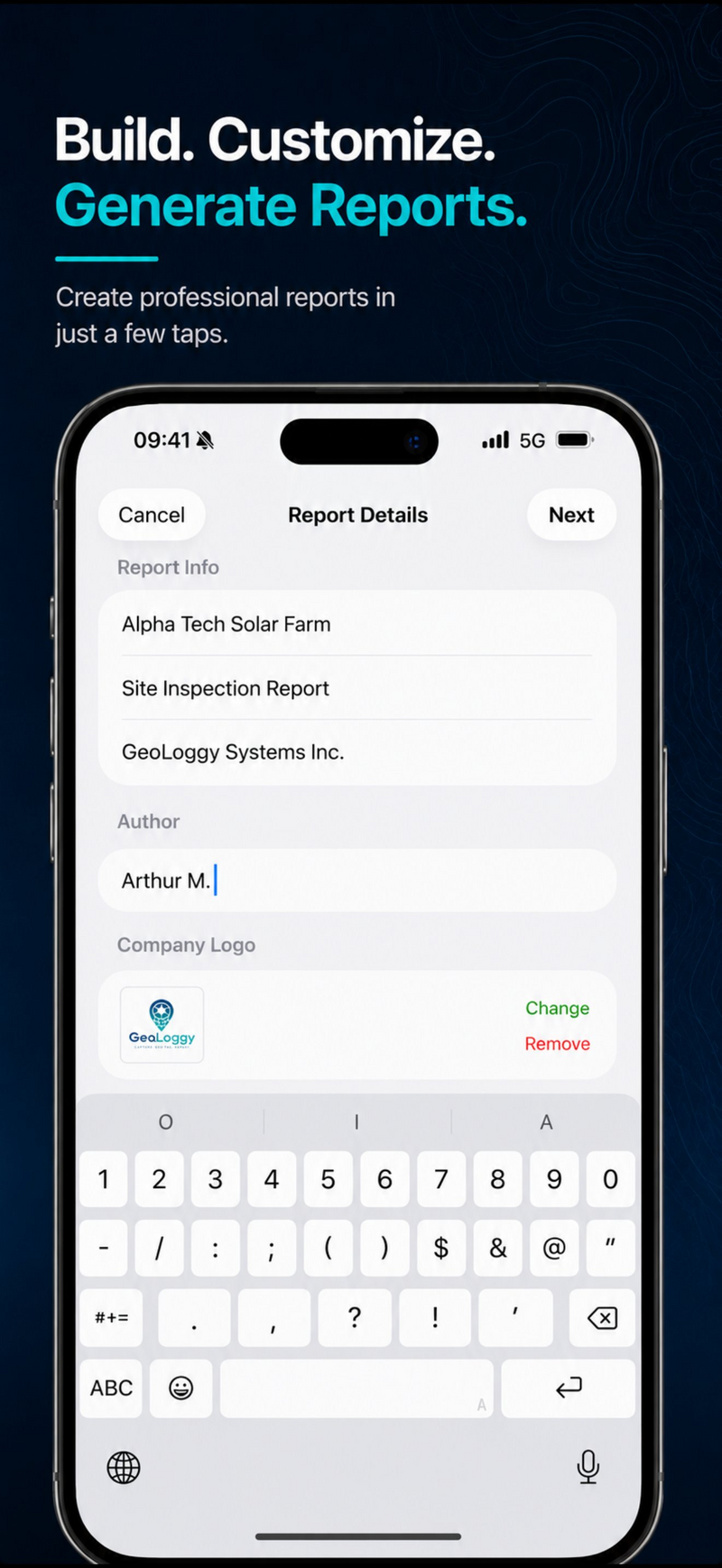
Enter your report details, add your company logo, select and reorder photos, then tap Generate. A professional PDF is ready to share in seconds.
Professional output.
Zero desktop cleanup.
Every report includes full GPS metadata per photo, an optional findings summary, and a satellite map overview with bearing callouts.
For inspections, construction
and technical reporting.
Stop writing reports twice.
GeoLoggy helps technical professionals capture field evidence once — then turn it into clean, shareable reports in minutes.